|
WR232Y01
RS-232
DB-9(female) to DB-9(female)
6´ straight through cable

This is
a shielded 6´ RS232 cable that will connect our CFA-632
or CFA-634 serial displays
to a standard 9-pin RS 232 connection as found on a PC or
the USB232a converter above. Bulk packaged.
|
|
WR232Y02
PC Power Supply to LED Backlight Power
Cable

One end
of this cable can be plugged into a spare power connector
from your PC´s power supply. The other end (used with the
supplied connector) plugs into our CFA-632
or CFA-634 serial LCDs. If
this cable is ordered at the same time as the serial LCD,
we will solder the connector to the LCD so you only have to
plug things together. Bulk packaged.
|
|
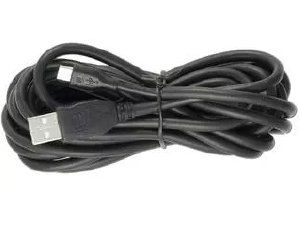
WRUSBY03
USB A(male) to 2mm connector cable

  
USB "A"
to LCD cable for the CFA-631,
CFA-632-USB, CFA-633-USB,
CFA-634-USB and CFA-635,
displays.
|
|
WR232Y04
RS-232
DB-9(female) to DB-9(female)
10´ straight through cable

This is
a shielded 10´ RS232 cable that will connect our CFA-632
or CFA-634 serial displays
to a standard 9-pin RS 232 connection as found on a PC or
the USB232a converter above. Bulk packaged.
|
|
WRUSBY06
USB A(male) to A(female) 6´ extension
cable

A high-quality
6´ USB extension cable. Bulk packaged.
|
|
WR232Y07
RS-232 DB-9(female) to DB-9(female)
gender changer

Compact
gender changer. This gender changer allows our serial displays
to be connected to the USB232a converter.
|
|
WR232Y08
RS-232 DB-9(female) to 0.1" 2x5
(female), 27" ribbon cable

Use
to connect a CFA-633 to a PC´s
9-pin serial port.
|
|
WR232Y09
RS-232
DB-9(female) to DB-9(male)
36" ribbon cable with
bracket to fit PC expansion slot for CFA-632* and CFA-634* series modules


This is
a 36" RS232 ribbon cable that has a bracket to fit a
PC expansion slot. By using the WR232Y10 cable (below) in
conjunction with this cable, one can connect our serial CFA-632
or CFA-634 displays to a standard
9-pin RS 232 connection as found on a PC or the USB232a converter
(see USB232A, above). See detailed images.
|
|
WR232Y10
RS-232
DB-9(female) to DB-9(female)
13" straight through cable

   
This is
a shielded 13" RS232 cable. By using this cable in conjunction
with our WR232Y09 cable above, one can connect our CFA-632
or CFA-634 serial displays
to a standard 9-pin RS 232 connection as found on a PC or
the USB232a converter (see USB232A, above). See detailed images.
|
|
WRUSBY11
4 single pin connectors to 2mm connector cable, approximately 27" length


Cable
to connect the CFA-631, CFA-632-USB,
CFA-633-USB,
CFA-634-USB and CFA-635,
displays to the USB header on your motherboard.
|
|
WRPWRY12
4 pin hard drive to floppy connector and hard drive splitter cable

  
Power
cable splitter to add a "3 1/2 floppy" power connector
to your system. Useful to supply power to a CFA-633
or CFA-633-USB.
|
|
WR232Y13
10 pin to DB-9(male)
36" ribbon cable with bracket
to fit PC expansion slot for CFA-633* series modules

 
Click for detailed images.
This is
a 36" RS232 ribbon cable that has a bracket to fit a
PC expansion slot. By using the WR232Y10 cable in conjunction
with this cable, one can connect the CFA-633
to a standard 9-pin RS 232 connection as found on a PC or
the USB232a converter (see USB232A, above). See detailed images.
|
|
WRPWRY14
CFA-633 to ATX power supply and control
cable


Click
for detailed images.
This is
the ATX power cable for the CFA-633
or CFA-633-USB, which allows
you to turn on and off an ATX power supply, or power cycle
a computer through the CFA-633. See detailed images.
|
|
WRDOWY17
DS18B20 based temperature sensor for
the CFA-633 and the CFA-631,CFA-635 SCAB


Click for detailed images.
 
The WRDOWY17
is a temperature sensor featuring the Dallas/Maxim DS18B20.
The WRDOWY17 takes advantage of the DS18B20´s ability to connect
multiple sensors to one cable. This cable allows easy connection
of up to 32 temperature sensors to the CFA-633
or CFA-633-USB as well as the CFA-631,CFA-635 SCAB. See detailed
images.
|
|
WRFANX01
16"
3-pin Fan Extension Cable

Click for detailed images.
This
is a 16" 3-pin fan extension cable. See detailed images.
|
|
WREXTY15
16", 16 Pin cable used to connect the CFA-631 or CFA-635 to the System Cooling Accessory Board
(SCAB).
Click for detailed images.

This is a 16 conductor cable that connects the CFA-631 or CFA-635 to the System Cooling Accessory Board
(SCAB). Approximate length is 16". See detailed images.
|
|
WREXTY19
3.5", 16 Pin cable used to connect the CFA-631 or CFA-635 to the System Cooling Accessory Board
(SCAB).
Click for detailed images.

This is a 16 conductor cable that connects the CFA-631 or CFA-635 to the System Cooling Accessory Board
(SCAB). Approximate length is 3.5". See detailed images.
|
|
WR232Y22
26", 10 pin to 10 pin cable used to connect the CFA-633 to a 10 pin header, either normal or alternate pinout.
Click for detailed images.

This is a 10 pin to 10 pin cable used to connect the CFA-633 to a 10 pin header, either normal or alternate pinout. Approximate length is 26".
|
|
WR232Y23
26", DB9 to 10 pin cable used to connect the a serial LCD module to a 10 pin header, either normal or alternate pinout.
Click for detailed images.

This is a DB9 to 10 pin cable used to connect the a serial LCD module to a 10 pin header, either normal or alternate pinout. Approximate length is 26".
|
|
WRPWRY24
26", PC Power Supply to 16 Pin Connector Cable.
Click for detailed images.

This is a PC power supply to 16 pin connector cable used to connect power directly from the power supply to the CFA-631 or CFA-635 LCD module. Note that JP2 will need to be opened on the module when used with this cable to avoid back-powering the USB bus. Approximate length is 26".
|
|
WRPWRY25
11", ATX Power Switch cable for CFA-631 and CFA-635 series LCD modules.
Click for detailed images.

This is a PC power supply to 16 pin connector cable used to connect power directly from the power supply to the CFA-631 or CFA-635 LCD module. This cable allows for ATX power switch functionality for the CFA-631 and CFA-635 series LCD modules without the use of a SCAB. Note that JP2 will need to be opened on the module when used with this cable to avoid back-powering the USB bus. Approximate length is 11".
|
|
USB232A
USB-to-Serial Converter connects serial displays or other serial peripherals to a USB port on your computer
Click for detailed images.
This
sleek and compact USB to RS-232 converter will connects any RS-232 peripheral to
your computer by using a USB port. The USB232A works great with our Intelligent
Serial Displays. It simply appears to your software as the next serial port ("COM2"
or "COM3" for instance). It installs in seconds and frees your computer´s RS-232 ports for other uses.
The USB232A is supplied in full retail packaging and includes
the driver on a mini CD. Features include:
- Supports
the RS232 Serial interface
- USB Specification v1.1 compliant
- Supports baud rates from 1200 to 115.2 kbps.
- Easy
Installation
- Works
with any RS-232 device or DB-9 male connector: cellular phones, PDAs, digital cameras, modems, ISDN terminal adapters
and others.
- Frees
your RS-232 ports for other uses
- Supports Windows® 98/2000/ME/XP as well as Linux and
MacIntosh.
This
converter has a male DB-9 RS-232 connector, just like a
PC´s serial port. Either our WR232Y02, WR232Y04,
WR232Y07
or equivalent will be required to allow it to connect to
one of our serial displays.
View detailed images of the converter.
Download PDF Driver Installation Instructions
Download Windows drivers
Download Linux drivers
Download Macintosh drivers
|