
Cap Touch vs. High Brightness on TFT Displays: What Each Upgrade Actually Costs
You’ve picked a resolution and a size. Now your BOM review has two open questions that always seem to show up together: do we need touch, and do we need to fight sunlight? Both feel like “nice to haves” until a field test in July proves otherwise, and both change your unit cost, your power budget, and your mechanical stack in ways that are easy to underestimate at the schematic stage.
This guide walks through what capacitive touch and high-brightness backlighting each cost in isolation, what happens when you need both, and how to decide before you’ve locked in a bezel design around the wrong assumption. All pricing below is pulled from live Crystalfontz TFT families as of this writing. Pricing is subject to change and volume, so treat the numbers as directional and request a quote for your actual quantity break.
Part 1: The Touch Decision
There are three tiers, and the jump between them isn’t linear.
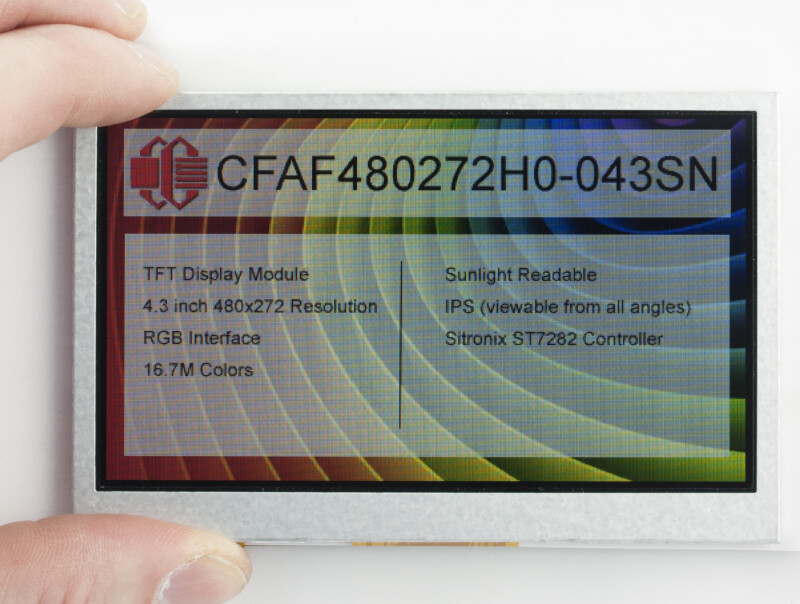
No touch. A display panel only. Lowest cost, lowest complexity, no additional connector, no touch controller firmware.
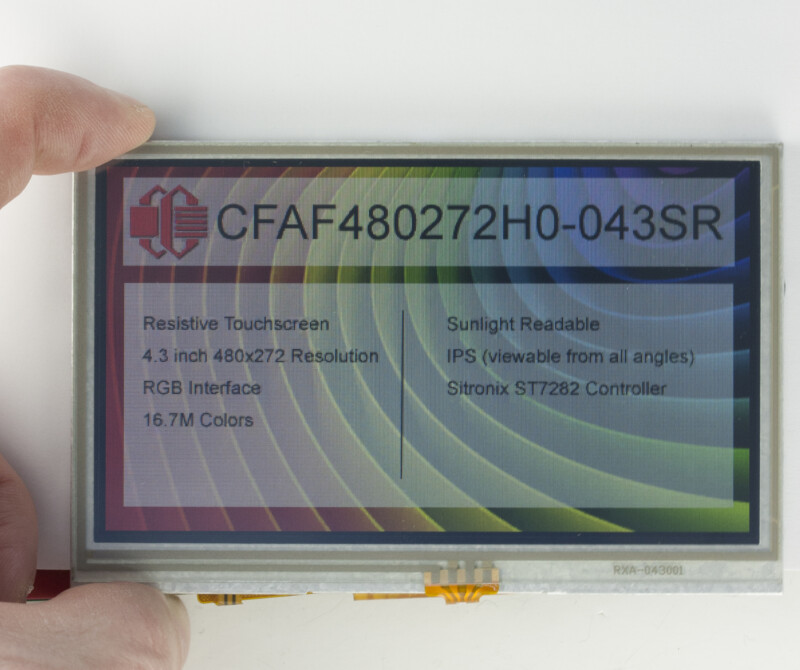
Resistive touch. A pressure-sensitive overlay. Works with a stylus, a fingernail, or a gloved hand pressing hard enough to deflect the layer. Single-touch only. The overlay itself is passive: it requires the host to have an ADC, or for the host side to implement a separate controller if one is needed, usually still over the same single ZIF/FPC connector as the display, not a second one.
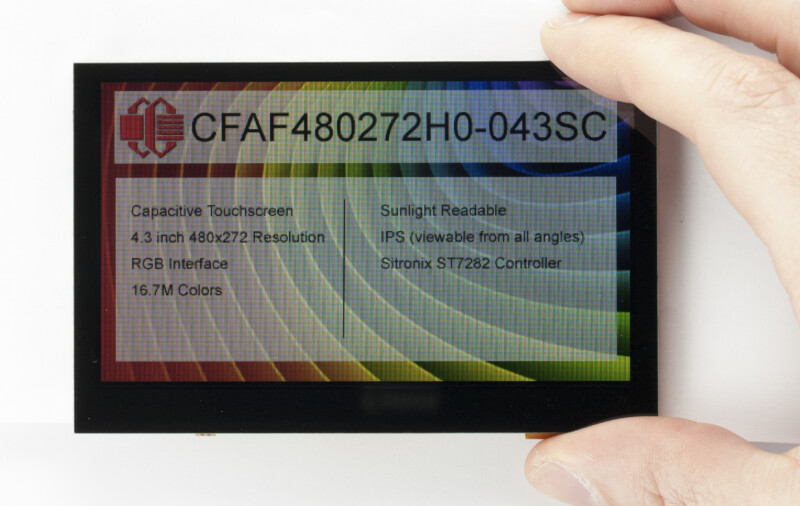
Capacitive touch. A projected-capacitance sensor bonded to (or overhanging) the glass. Supports light-touch, multi-point gestures, and feels like a phone screen. Adds an I2C touch controller, and typically its own separate FPC/ZIF connector, plus firmware to handle touch events (such as swiping and multi-tap) instead of just reading raw pixel commands.
What that actually costs: same size, same brightness tier
Isolating the touch variable requires comparing displays that are otherwise identical in size, resolution, and brightness class. Two Crystalfontz families make a clean comparison because each ships in all three touch tiers at the same panel size and same sunlight-readable brightness spec:
4.3″, 480×272, sunlight-readable (CFAF480272H0-043 family):
| Variant | Part Number | Price Range | Delta vs. No-Touch |
|---|---|---|---|
| No touch | CFAF480272H0-043SN | $17.99 to $20.71 | (baseline) |
| Resistive | CFAF480272H0-043SR | $22.32 to $25.70 | +$4.33 to $4.99 (~24%) |
| Capacitive | CFAF480272H0-043SC | $29.34 to $33.78 | +$11.35 to $13.07 (~63%) |
3.5″, 320×240, sunlight-readable IPS (CFAF320240H0-035 family):
| Variant | Part Number | Price Range | Delta vs. No-Touch |
|---|---|---|---|
| No touch | CFAF320240H0-035SN | $30.06 to $34.96 | (baseline) |
| Resistive | CFAF320240H0-035SR | $33.88 to $39.36 | +$3.82 to $4.40 (~13%) |
| Capacitive | CFAF320240H0-035SC | $51.12 to $59.21 | +$21.06 to $24.25 (~70%) |
The pattern holds across both families and is worth internalizing. Resistive touch adds a real, but comparatively modest, premium over no touch (roughly 13 to 24% across these two families). Capacitive touch is a materially different cost tier on top of that: typically 45 to 50% more than resistive, and 60 to 75% more than no touch at all, on the same panel. It’s a more expensive sensor stack, a dedicated touch controller IC, additional bonding/lamination steps, and (for the best capacitive implementations) cover-glass processing that resistive overlays don’t need.
The brightness ratings add a wrinkle worth flagging: in both families, resistive touch costs more brightness than capacitive does, even though capacitive is the pricier, more heavily-processed option. Resistive knocks 12 to 26% off the no-touch rating, while capacitive only costs 7 to 15%. Either way, don’t assume touch tier and brightness rating move together in lockstep; check the actual number for your part rather than extrapolating from cost.
Beyond the sticker price: what you’re actually buying
| No Touch | Resistive | Capacitive | |
|---|---|---|---|
| Input method | None | Firm press (finger, stylus, gloved hand) | Light touch (bare finger, some stylus modes) |
| Simultaneous touches | N/A | 1 | Typically 2 to 5 |
| Gestures (swipe, pinch) | N/A | No | Yes |
| Works with gloves | N/A | Yes | Only with capacitive-compatible gloves or a glove-mode controller setting |
| Works wet / outdoors | N/A | Generally yes | Some controllers false-trigger on water; check the datasheet |
| Host interface | Display bus only | Usually simple ADC/resistive interface, sometimes I2C | I2C, plus an interrupt line |
| Extra connector(s) | None | Usually none, typically shares the single ZIF/FPC connector | Yes, usually a separate touch FPC/connector |
| Firmware complexity | None | Low (coordinate polling) | Moderate (controller init, interrupt handling, gesture parsing if used) |
| Typical use case | Static gauges, status panels, read-only dashboards | Industrial HMI, kiosks used with gloves, cost-sensitive designs needing some input | Consumer-facing HMI, medical devices, anything competing with a phone/tablet UX expectation |
When resistive is the right call, not just the cheap call: if your end user is going to be wearing work gloves or operating the device in wet conditions, resistive touch isn’t a compromise, it’s often the more reliable choice. Capacitive controllers can misbehave with water droplets or thick gloves, and paying more for capacitive in that scenario buys you a worse field experience, not a better one.
When capacitive earns its premium: anything with a modern consumer-facing UI, multi-touch gestures, or a design language that needs to feel like a phone. If your product will be compared, even informally, to a tablet, capacitive is the expectation, and the 60 to 70% premium over a bare panel is a real cost of the UX you’re promising.
Part 2: The Brightness Decision
Part 2: The Brightness Decision
“Brightness” on a display spec sheet means luminance, measured in nits (cd/m²). It matters because ambient light (sunlight, bright showroom lighting, an outdoor enclosure) washes out a dim panel regardless of how good the resolution or color gamut is.
Standard brightness panels are the non-boosted baseline, suitable for indoor use and anywhere away from direct light. Ratings vary by part: the CFAF240320X0-020T used as the baseline below is rated at 450 nits, while the CFAF240400C1-030TC and CFAF80160A0-0096TW are rated at 400 nits.
Sunlight-readable panels are engineered to stay legible in direct outdoor light or bright overhead lighting, either by driving the backlight substantially harder or by adding a reflective/transflective layer, and the two paths produce very different nit numbers. The boosted-backlight CFAF320240H0-035 family used in Part 1 is rated at 1,000 nits (no-touch) and 880 nits (resistive). The transflective CFAF240320D0-020FN used below is rated at only 260 nits, lower than the 450-nit standard panel it’s being compared against. That’s not a contradiction: a nit rating measures emitted light, and the transflective layer’s contribution comes from reflecting ambient light back at the viewer rather than emitting more of it, so a lower nit number doesn’t mean it’s less legible outdoors. It does mean nits alone aren’t a reliable way to compare a transflective part against a boosted-backlight part; the two numbers aren’t measuring the same thing.
There are actually two different engineering paths to sunlight readability, and they have different cost and power profiles:
- Higher-output LED backlight. The panel is otherwise a normal transmissive TFT, but the backlight is driven harder (more LEDs, higher drive current, or both) to push more light through the liquid crystal layer. This is the path used by families that do document a boosted nit figure, like the CFAF320240H0-035 family above. It’s the more expensive path, and it draws meaningfully more backlight current than a standard panel of the same size: a real consideration if you’re running from a battery or a constrained power budget.
- Transflective or reflective polarizer. Instead of just pushing more backlight through, the panel adds a partially reflective layer that bounces ambient light back at the viewer. In bright conditions, the more light there is, the more legible the display becomes: the opposite failure mode of a standard panel. Important caveat: for a TFT, this doesn’t remove the need for a backlight. Ambient light alone isn’t enough to make a TFT easily readable, so the backlight stays on at all times, indoors and out. What the reflective layer changes is how hard that backlight has to work in bright conditions; Crystalfontz markets its transflective/Blanview parts specifically as not needing a high-powered backlight, which is where the power benefit actually comes from. This is usually the more expensive of the two paths, not the cheaper one; the added reflective layer typically costs more than simply driving a brighter LED backlight does. The tradeoff: transflective displays typically look slightly washed out or lower-contrast indoors or in dim light compared to a good transmissive panel.
What each path costs: same size, same resolution
2″, 240×320, no touch (a clean like-for-like comparison):
| Variant | Part Number | Construction | Rated Brightness | Price Range |
|---|---|---|---|---|
| Standard | CFAF240320X0-020T | O-Film TFT (near-IPS viewing angle); not flagged sunlight readable | 450 nits | $10.42 to $14.83 |
| Sunlight-readable | CFAF240320D0-020FN | Transflective polarizer | 260 nits | $15.46 to $23.54 |
Comparing single-unit (1-piece) pricing, that’s a premium of $8.71 (about 59%) for sunlight readability via the transflective route, at the same size and resolution, despite the lower nit rating; the premium buys ambient-light legibility, not raw emitted brightness.
The LED-boost route is usually the cheaper of the two paths to sunlight readability, and transflective is usually the pricier one. Real Crystalfontz parts make this concrete: the CFAF480640D1-035BN, a 3.5″ transflective (Blanview) display, prices at $71.55 to $81.78. By comparison, the CFAF320240H0-035SN, a 3.5″ boosted-backlight sunlight-readable display that documents 1,000 nits right on its own product page (the same part used as the no-touch baseline in Part 1), prices at $30.06 to $34.96. These two parts differ in resolution (480×640 vs. 320×240), so part of that gap reflects pixel count rather than brightness technology alone, but the difference is large and consistent enough that transflective should be budgeted as the pricier route by default.
When it’s worth paying for
- Outdoor kiosks, agricultural or construction equipment, vehicle dashboards, anything mounted where direct sun is a realistic operating condition: pay for sunlight readability. A cheaper panel that’s unreadable half the day isn’t actually cheaper, it’s a support ticket and a field complaint waiting to happen.
- Battery-powered, portable, or thermally constrained designs that still need outdoor legibility: look hard at transflective before defaulting to a boosted LED backlight. You get sunlight readability without adding to your power draw; the mechanism works with the sun instead of against it.
- Indoor enclosures, wall-mounted panels away from windows, desktop instruments: standard brightness is very likely enough. Paying the roughly 59%+ premium here buys you headroom you’ll never use.
- Bright indoor environments, such as retail floors, warehouses with skylights, or industrial floors with strong overhead lighting: this is the gray zone. It’s worth a real on-site light-meter reading (or at minimum, an honest look at the worst-case lighting the product will face) before committing either way.
Part 3: Stacking Both, What “Touch and Bright” Actually Costs
HerBoth upgrades stack, and they stack in a predictable direction: holding size, resolution, and everything else constant, touch always costs more than no touch, and sunlight-readable always costs more than standard brightness. A sunlight-readable, capacitive-touch display will cost more than a sunlight-readable, non-touch display, which in turn costs more than a standard-brightness, non-touch display at the same size and resolution.
What can make this look like it doesn’t stack is that Crystalfontz’s catalog doesn’t always sell every combination as a discrete SKU at a given size. The CFAF320240H0-035 family (used in Part 1), for example, is sold only as sunlight-readable, across all three touch tiers; there’s no standard-brightness sibling in that specific family. In a family like that, brightness isn’t a separate choice you’re making at all, it’s fixed, and the touch tier is the only lever you’re actually pulling within that SKU set. That’s a catalog-availability quirk, not evidence that the underlying costs don’t add up.
Where you can see the full stack in one family is at 2″, 240×320:
| Configuration | Part Number | Rated Brightness | Price Range | Premium vs. baseline (single-unit) |
|---|---|---|---|---|
| Standard brightness, no touch (baseline) | CFAF240320X0-020T | 450 nits | $10.42 to $14.83 | (baseline) |
| Sunlight-readable (transflective), no touch | CFAF240320D0-020FN | 260 nits | $15.46 to $23.54 | +$8.71 (~59%) |
| Sunlight-readable (transflective), resistive touch | CFAF240320D0-020FR | 200 nits | $23.99 to $24.99 | +$10.16 (~69%) |
Worth noting: the rated brightness actually drops as you add the resistive touch layer (260 to 200 nits), the same way the touch stack ate into cost elsewhere in this guide. Adding layers to the optical stack, whether for touch or for a reflective coating, has a real transmission cost, even when the marketing story is about improving legibility, not reducing it.
A fully-loaded configuration, sunlight-readable and capacitive touch, at this exact size, isn’t a standard catalog part in this family; it’s the kind of combination Crystalfontz builds via a custom quote or a related EVE-accelerated module rather than an off-the-shelf SKU. That’s a useful signal in itself: when both upgrades are truly required at a small size, expect a quote-driven conversation, not a catalog price. At larger sizes (4.3″ and up), fully-loaded sunlight-readable-plus-capacitive parts do exist as catalog SKUs; see the CFAF480272H0-043SC example in Part 1.
The practical takeaway
If you only need one upgrade, isolate it and price it directly. Don’t assume you need both just because “high-end” designs tend to have both. If you genuinely need both, check whether your target size/resolution class already bundles brightness into the family (common at 3.5″+ sizes) before assuming you’re paying two separate premiums. And if you’re at a small form factor needing the full combination, budget time for a quote conversation rather than expecting a stocked part number.
Decision Guide
Work through these in order. Each one either resolves your choice or narrows the next question.
1. Will this display ever operate in direct sunlight, a bright outdoor enclosure, or strong overhead industrial lighting?
- No: stay standard brightness. Skip to question 3.
- Yes: continue to question 2.
2. Is the design power-constrained (battery-powered, passively cooled, tight thermal budget)?
- Yes: default to a transflective/reflective sunlight-readable panel before a boosted-backlight one. Confirm indoor legibility is acceptable for your use case; transflective panels look flatter in low light.
- No: a boosted-backlight sunlight-readable panel gives the best all-condition legibility and is the more common off-the-shelf path at larger sizes.
3. Does the end user need to interact with the display at all, or is it read-only?
- Read-only (status, gauge, dashboard): no touch. Stop here.
- Interactive: continue to question 4.
4. Will users regularly wear gloves, or operate the device wet or in dusty/dirty conditions?
- Yes: resistive touch. It’s a small premium over no touch and it’s the more field-reliable choice in these conditions, not just the cheaper one.
- No: continue to question 5.
5. Does the product need multi-touch gestures, or does it need to feel like a modern consumer device (phone/tablet-style interaction)?
- Yes: capacitive touch. Budget for the 45 to 75% premium over resistive/no-touch as a real cost of that UX, not a padded margin.
- No: resistive touch is very likely sufficient and meaningfully cheaper.
6. Did questions 1 and 4/5 both come back “yes”?
- Check whether your target size class ships brightness and touch as a bundled family first (common at 3.5″ and larger). If not, or if you’re at a small form factor, plan for a custom quote rather than a catalog part number.
How to Read the Part Number (So You Can Spot These Tiers Yourself)
Crystalfontz TFT part numbers encode both of these decisions directly, which makes it easy to scan the catalog once you know the pattern:
CFAF [resolution] [family/revision] - [diagonal size] [brightness] [touch]
- Brightness letter:
Tmeans standard brightness (commonly 400 nits, as on CFAF240400C1-030TC).Smeans sunlight readable (boosted backlight or transflective, depending on family).Fin some family codes flags a transflective/reflective optical path specifically. - Touch letter:
Nmeans no touch.Rmeans resistive touch.Cmeans capacitive touch.
So CFAF480272H0-043SC reads as: 480×272 resolution, H0 family, 4.3″ diagonal, Sunlight-readable, Capacitive touch, exactly the top-tier part referenced in Part 1. CFAF320240H0-035SN is the same family’s sunlight-readable, no-touch baseline. Once you can parse this, you can scan a size/resolution category page and immediately see which combinations exist as catalog parts versus which would need a custom quote.
Where to Go From Here
If you’ve landed on a specific combination, search the part number pattern above against the relevant size/resolution category, or request a quote directly with your target volume. The price ranges in this guide reflect quantity breaks, and the exact number for your build will depend on where in that curve you land. If your combination doesn’t exist as a catalog part, Crystalfontz’s support and applications team can scope a custom build, including EVE-accelerated options that offload touch and graphics handling from your host MCU entirely.

Jeffrey Nystrom is an engineering technician at Crystalfontz. He graduated from ITT Technical Institute of Technology with his B.S. in Electronics Engineering. In his position, Jeff engages in customer technical support, works on engineering projects, and supports Crystalfontz’s manufacturing operations. Outside of the office, Jeff enjoys working in his shop, tinkering with his 3D printer, and going on new adventures with his family.